
When you hide the window, detailed rendering pauses while the macOS menu-bar percentage or Windows tray tooltip continues to update.
Codex quota at a glance
Quota Bubble
Keep Codex quota in sight, without breaking focus.
A compact companion for 5-hour and weekly limits, reset times, balance, plan, account, subscription expiry, and system capacity on macOS and Windows.
macOS + Windows
Live countdowns
10 languages
LIVE / CODEX330 × 341 / DESKTOP
01 / SYSTEM
Everything you need, without opening settings.
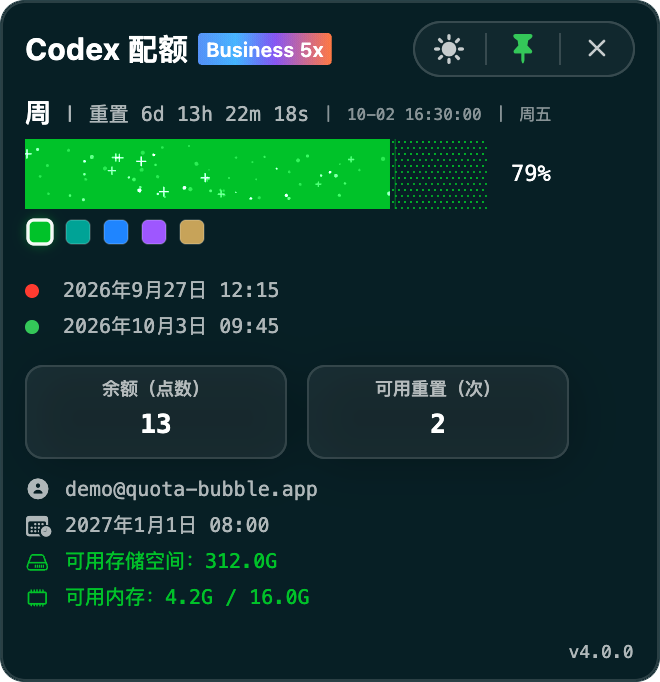
See active quota windows, reset timing, credit balance, account and plan status, subscription expiry, and available system capacity in one compact view.
While the window is visible, reset countdowns tick every second and quota values stay current as new account data arrives.
Uses your existing Codex sign-in and keeps cached usage snapshots on this device without storing credentials.
Checks official releases, then shows download progress and handles installation and restart inside the app.
02 / INTERFACE
See exactly what runs on your desktop.
This preview comes from the actual app interface, including its compact glass surface, progress bars, plan badge, account details, and controls.
QUOTA
Quota windows that fit the accountShows the 5-hour limit when the account provides one, and keeps a stable weekly-only layout when it does not.
GLASS
Clear in light or dark modeThe glass treatment adapts to either appearance while keeping every value legible.
RESET
Weekly recharge in motionA real weekly reset coordinates the selected color, progress sweep, and orbit animation.
04 / INSTALL
Download the right installer in one click.
The main button detects macOS or Windows. You can also choose a platform below; both buttons download the latest available graphical installer directly.
Quota Bubble for macOS
For macOS 13 or later on Apple silicon and Intel. Open the DMG, then drag Quota Bubble into Applications.
Download for macOSLatest release
Quota Bubble for Windows
For Windows 10 or later. Run the Setup wizard to install the self-contained app and create a desktop shortcut; no PowerShell or separate runtime is required.
Download for WindowsLatest release